
Customer Reviews
More 5-Star Reviews, Without Chasing Them
Automatically ask happy customers for a review right after the job, with a one-tap link. Build the kind of reputation that makes you the obvious choice when locals search.
What It Does
Your reputation, working while you work
Most happy customers would leave a review if you asked. The problem is remembering to ask every single one, at the right moment, with a link that makes it easy. Miss that window and the review never happens.
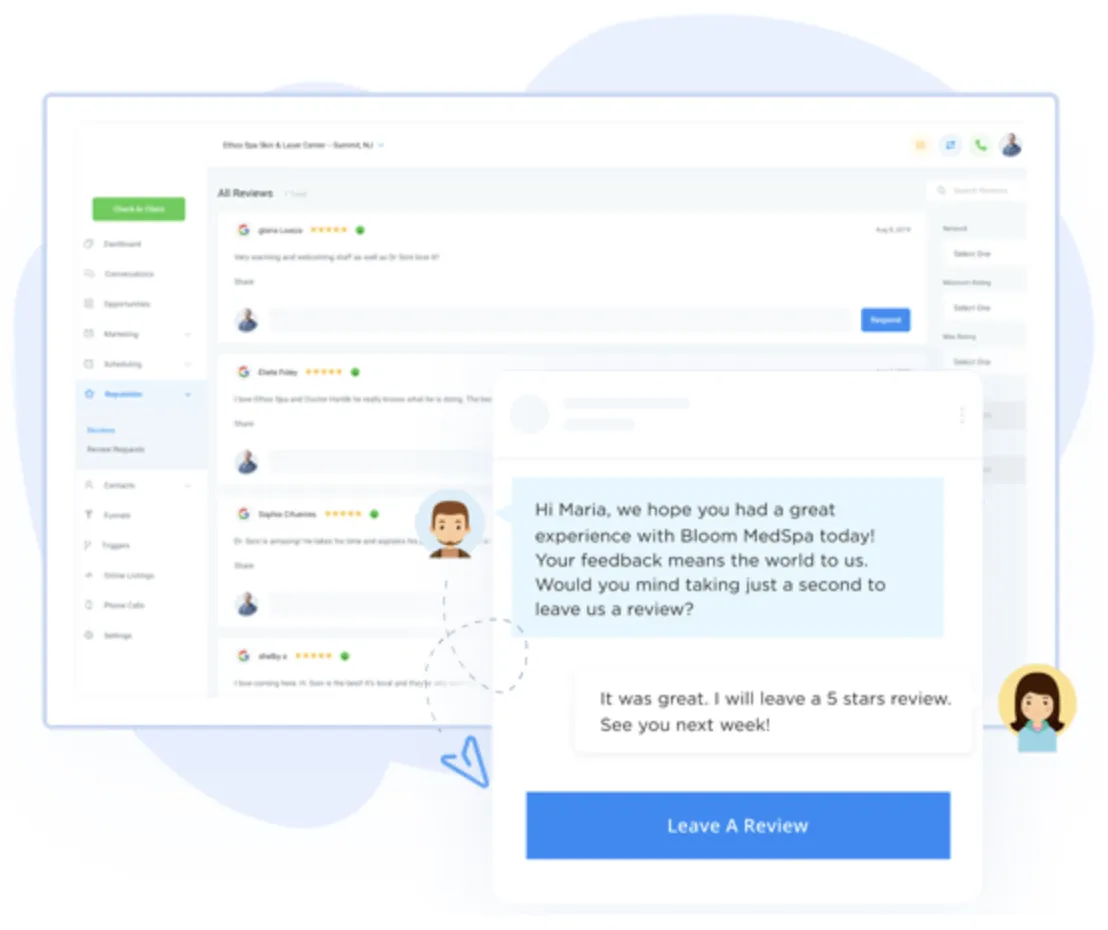
This tool asks for you. The moment a job is done, it sends the customer a friendly request with a one-tap link straight to your Google review page. More reviews come in, your rating climbs, and every new five-star rating works around the clock to win you the next customer.
How It Works
Set it once, collect reviews for good
1
Finish the job
The customer is happiest right after you've done great work. That's the moment that matters.
2
The request goes out automatically
Within a day, they get a text or email with a one-tap link straight to your review page.
3
They leave a review in seconds
No searching, no friction. A gentle reminder follows if they haven't gotten to it yet.
4
You manage it all in one place
New reviews land in one dashboard, so you can reply and keep the conversation going.
Why Automate It
3X
Businesses that ask automatically collect up to three times more reviews than asking by hand, because the request goes out every time, not just when you remember.
Why Owners Love It
More trust, higher rankings, more calls
📈
Rank higher on Google
More reviews and recent activity are signals Google uses to rank local businesses in the map results.
👆
Win the click
When you have more and better reviews than the competitor next to you, customers choose you.
🔁
Never forget to ask
The request fires automatically after every job, so you capture reviews you'd otherwise miss.
🛟
Catch problems early
Unhappy feedback comes to you first, so you can make it right instead of reading about it publicly.
Better Together
Part of a system that works as one
Reviews are the payoff at the end of the system. A lead comes in through AI follow-up or webchat, the job gets booked and handled in your unified inbox, you collect payment with a text link, and then the review request goes out automatically. Those reviews feed your listings and local ranking, which brings in the next lead. The whole loop runs on its own.
Questions
Quick answers
How do I get more Google reviews?
The most reliable way is to ask every happy customer right after the job, with a direct link to your review page. Automating that request means it happens every time without you remembering, which is why automated tools collect far more reviews than asking by hand.
Is automating review requests against Google's rules?
No. Google allows automated review requests as long as they're genuine. You simply invite real customers to share an honest review. You should not offer payment or rewards for reviews, and you should not filter out the negative ones.
Do reviews help my local SEO ranking?
Yes. More reviews, higher ratings, and recent activity are all signals Google uses to rank local businesses. Google weighs recency heavily, so a steady stream of fresh reviews helps you show up higher in the local map results.
How soon should I ask for a review?
Within about 24 to 48 hours of finishing the job, while the experience is still fresh. The request goes out automatically by text or email with a one-tap link, so customers can leave a review in seconds.
Free, No Pressure
Turn happy customers into your best marketing
Let's set up automatic review requests and the rest of the system that keeps new customers coming.
Home / Your Tools / Reviews
Web design and business growth tools.
Jacksonville, TX. Serving all of East Texas.
